
Adopt a guide for your first steps
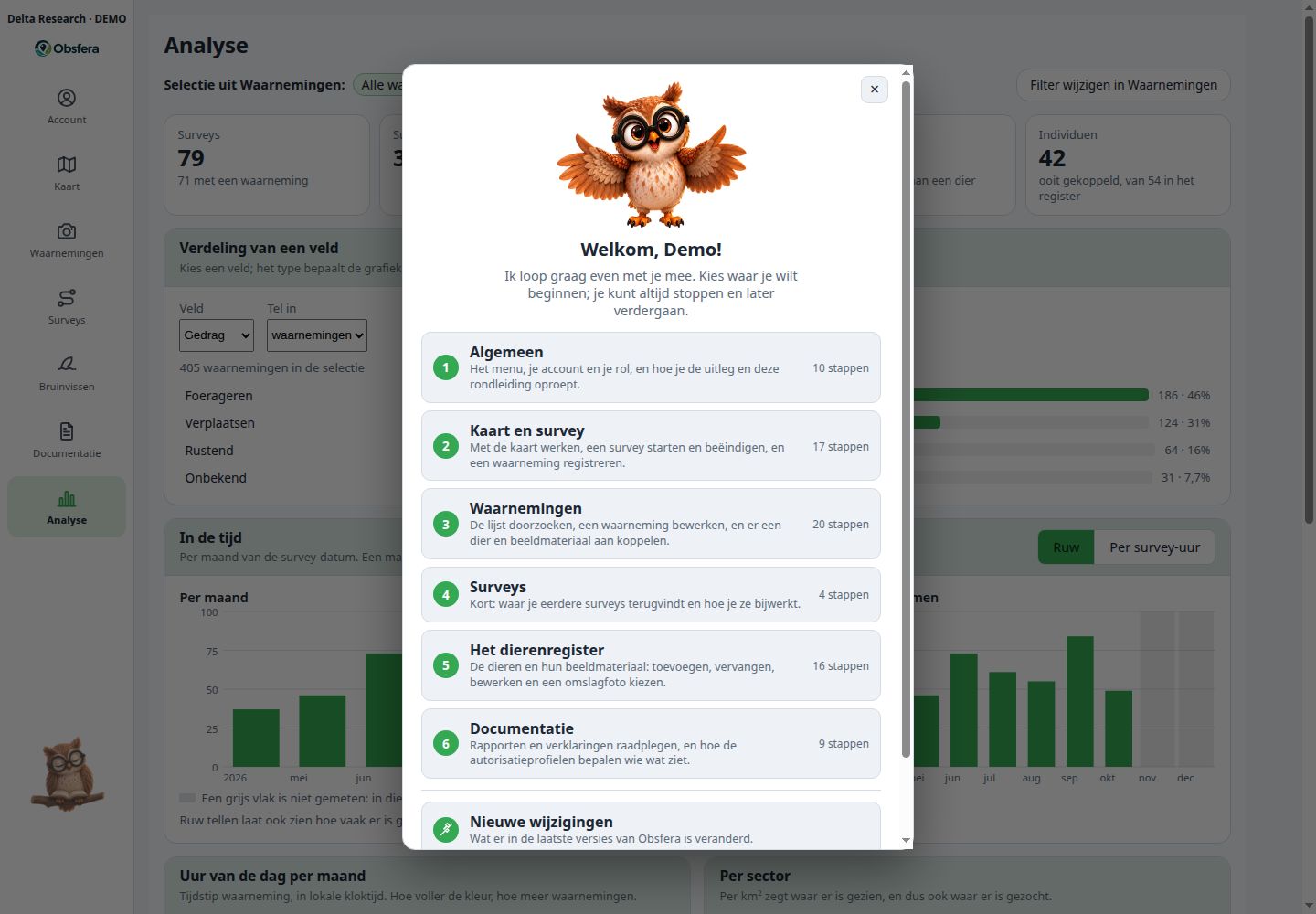
The Obsfera owl helps new users find their way and explains individual features to experienced users. A welcome appears automatically on first sign-in; you then choose the tour you need.
Adopt a guide for your first steps
The Obsfera owl helps new users find their way and explains individual features to experienced users. A welcome appears automatically on first sign-in; you then choose the tour you need.
The tour highlights buttons and fields step by step without saving research data for you. Reopen it later from your Account or by double-clicking the owl.
On larger screens, one click enables contextual help and the owl flies to your chosen information point. Phones show the welcome only; the guided tour needs more screen space.
Try it here: let the owl point out the screen examples. This interactive website demonstration uses fictional research data.
Support within your workspace
Authorised group members submit questions, requests and issues with attachments and discuss them through built-in chat. Status, change history and notifications keep the group involved; issue reports automatically include the app version, browser and screen size.
Discover moreWhich fields should we use for this survey?
The research question and protocol shape the configuration.
New capabilities come with an explanation
Published changes can appear automatically after sign-in when both the group and the user enable this option. For visible changes, the owl takes you to the relevant feature; administrators can find the publication history under Updates & patches.

What is your research question?
Explore how a dedicated research group could fit your protocol, team and long-term data stewardship.